
 CONTEXT MAPPER
Stakeholder and Value Modelling Transformations
The following transformations aim at making modelling stakeholders and value registers more efficient. These language features and transformations shall provide tool-support for applying the Value-Driven Analysis and Design (VDAD) process.
Add Ethical Value Assessment to User Story
As documented under User Requirements CML provides language features to write user stories and in addition, Story Valuation according to ESE.
If you have an existing user story in CML that has not been valuated yet, a transformation allows you to generate the additional part:
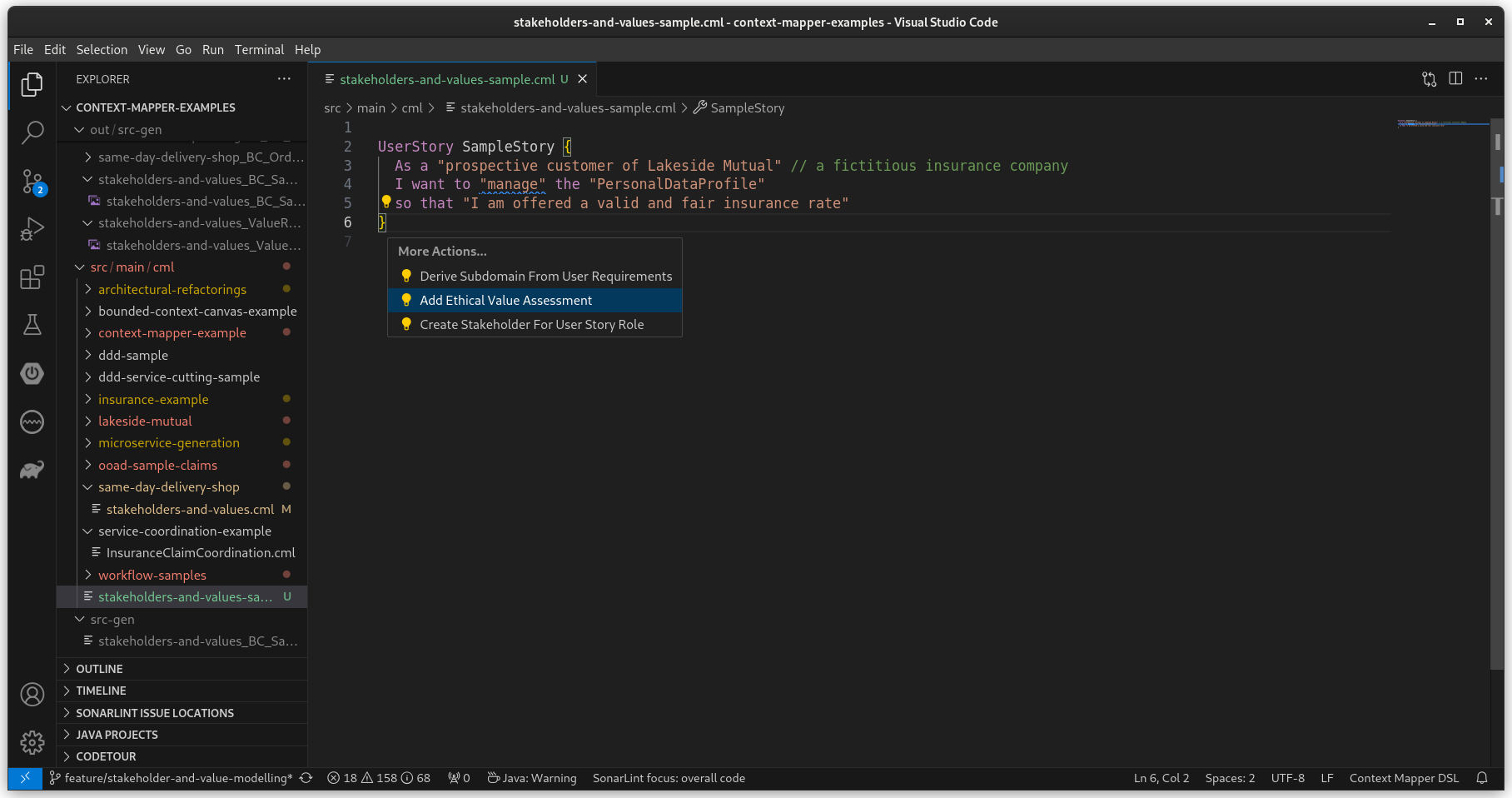
This will add the additional part for the story valuation:
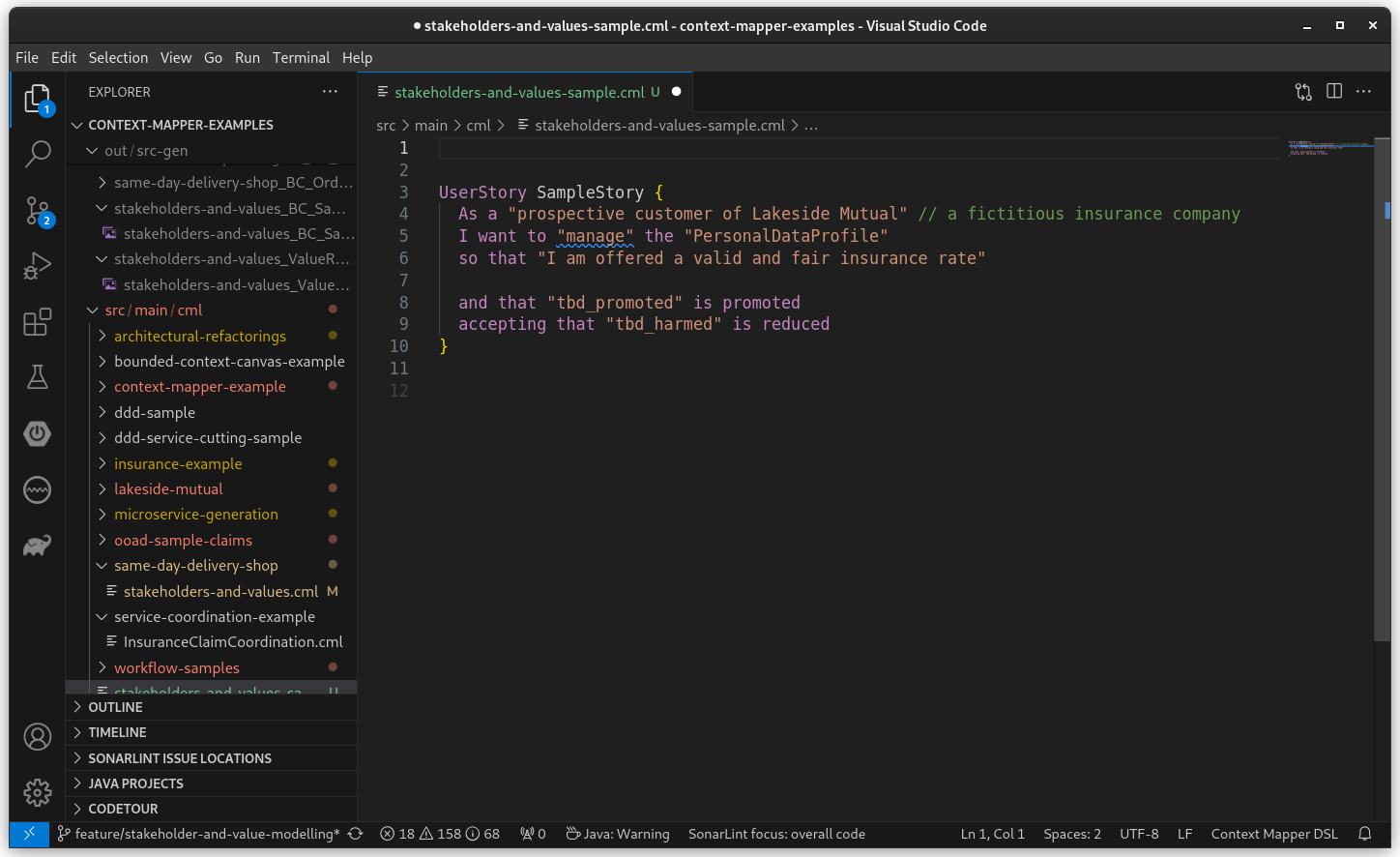
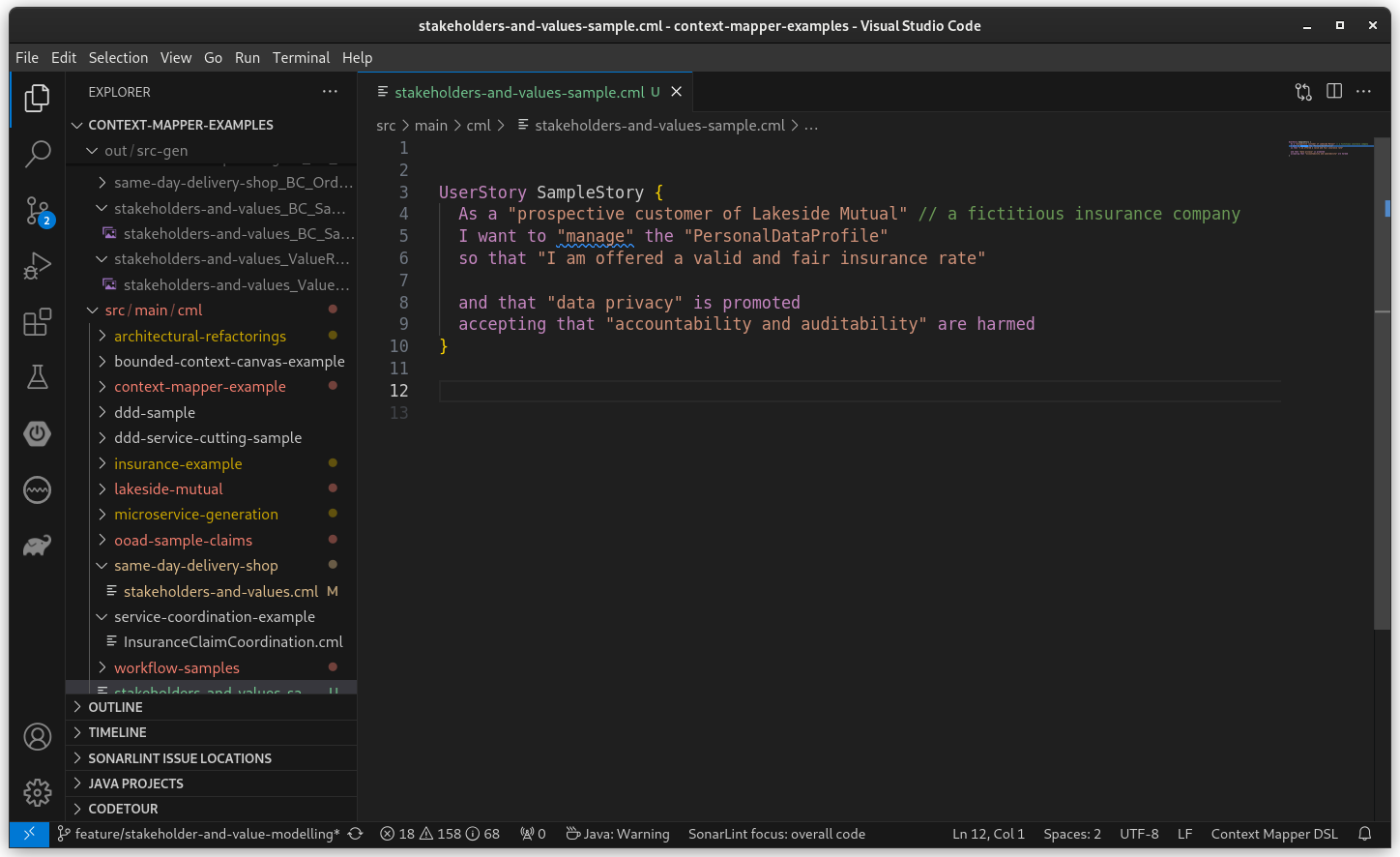
You can then adjust the story with the actual values that are promoted and/or harmed. For example:
Create Stakeholder for User Story Role
When applying Value-Driven Analysis and Design (VDAD) or similar approaches, one typically starts with modelling requirements (use cases, user stories, etc.) and then continues with a stakeholder analysis and, later on, elicits ethical values. This transformation allows you to create stakeholders directly from roles inside user stories.
The following example shows such a user story and the transformation you can trigger:
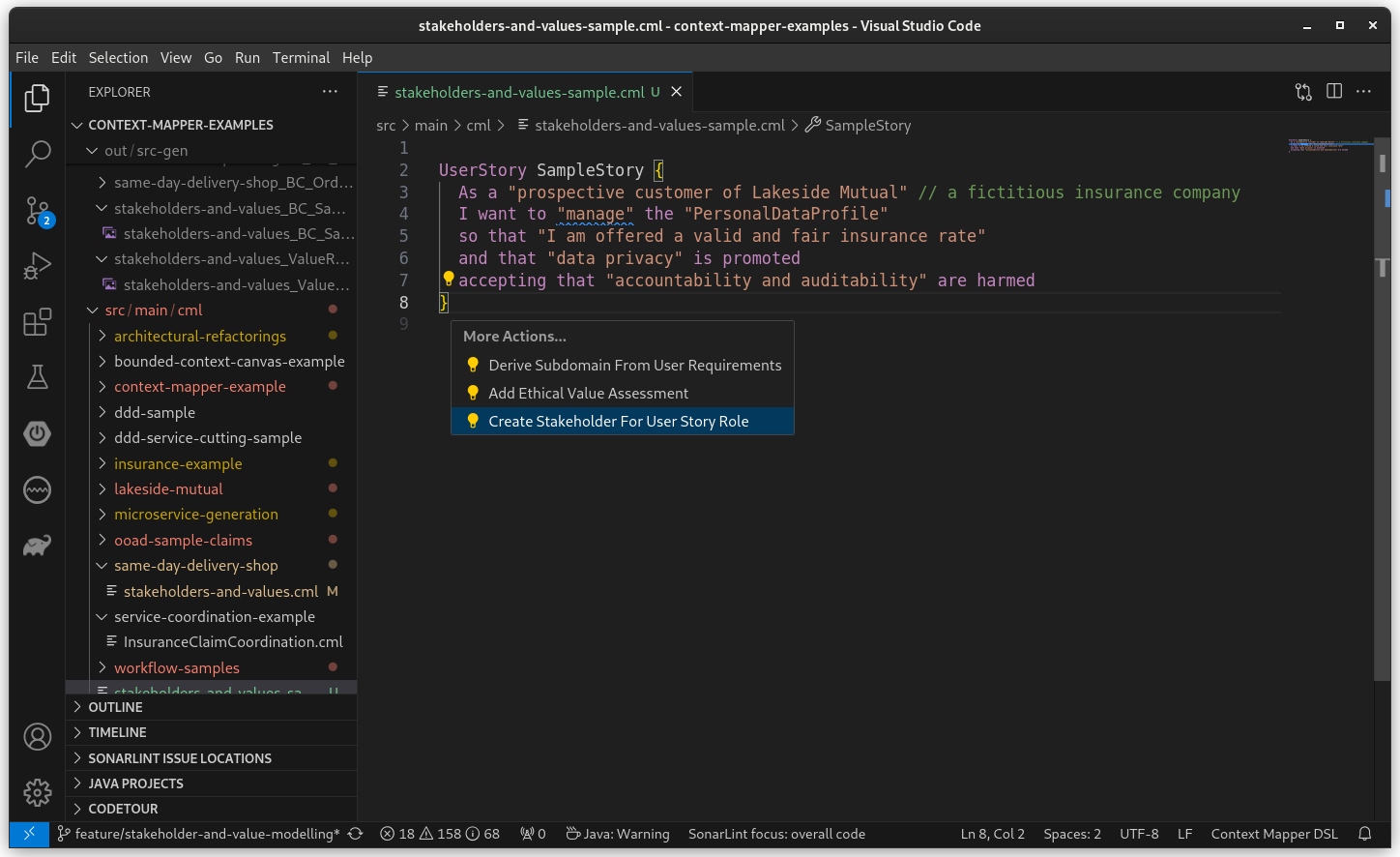
The transformation will create a Stakeholders block with the corresponding stakeholder for your user story role:
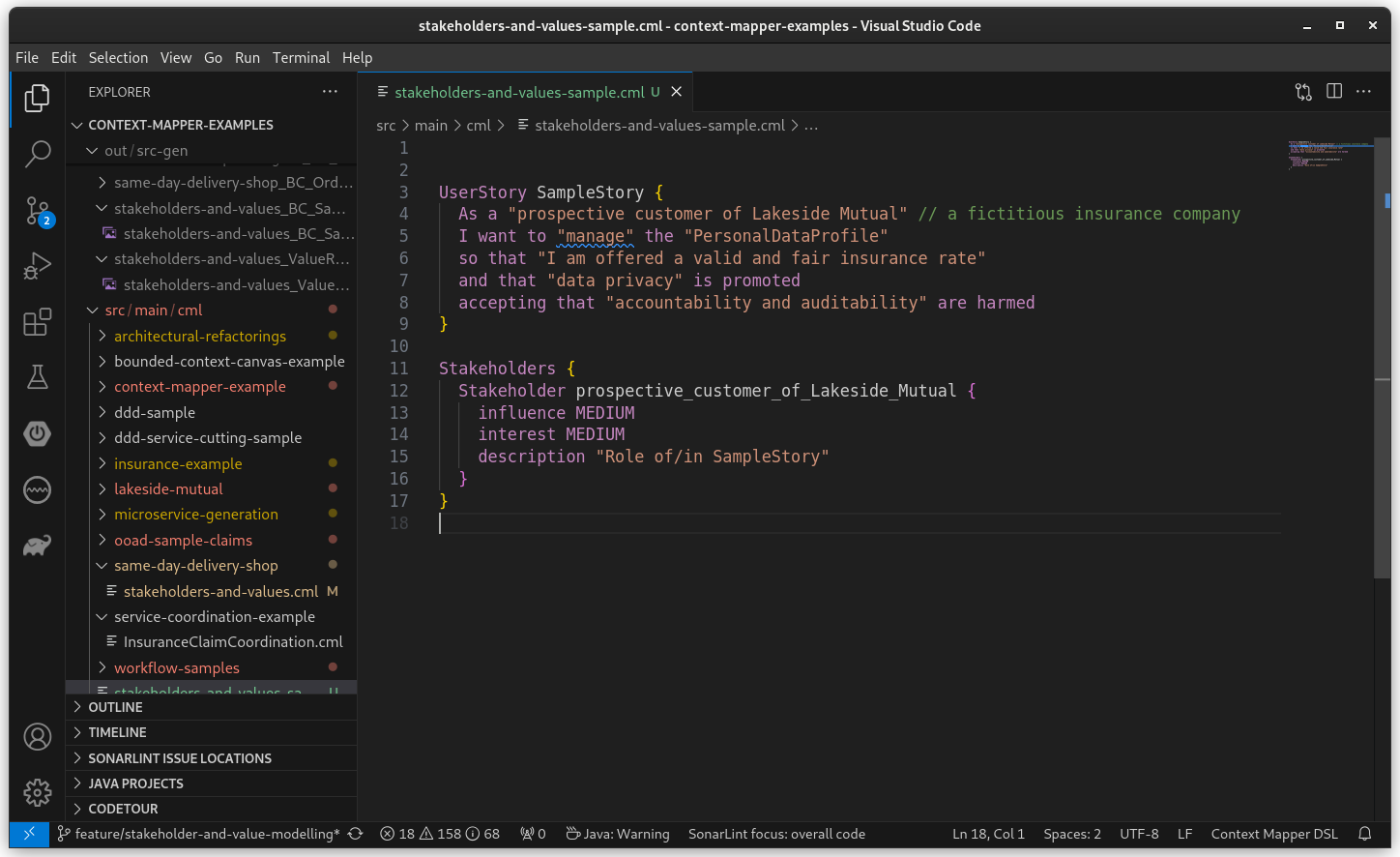
Note that the values for influence, interest and description are just generated default values that you have to adjust manually.
Create Value for Stakeholder
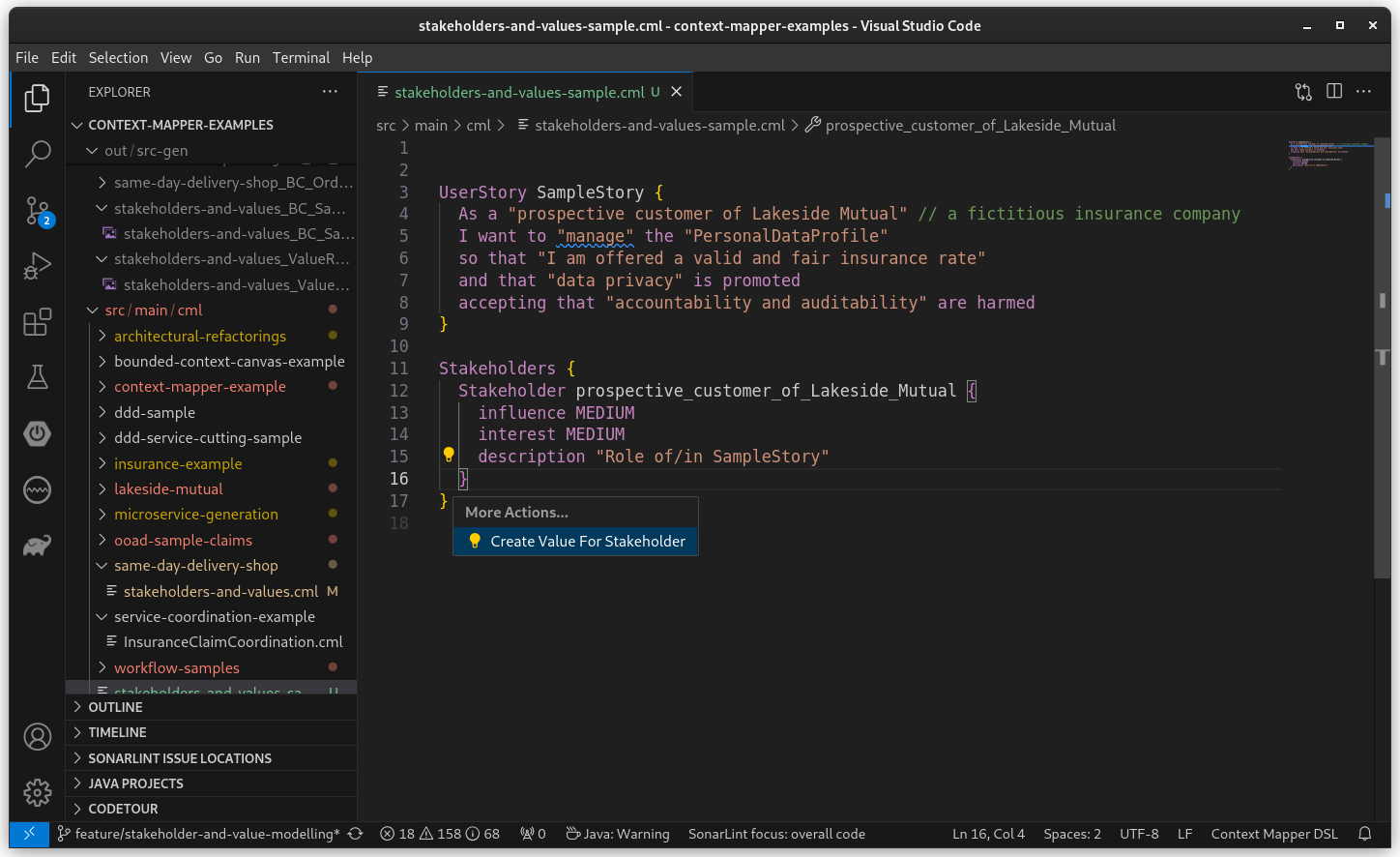
Once you modelled a stakeholder, you may want to elicit the values that are important for this stakeholder(s). This transformation allows you to automatically generate a CML Value construct for a given stakeholder.
The following example shows the transformation offered on stakeholders:
The transformation will create a value register containing a value and the reference to the stakeholder:
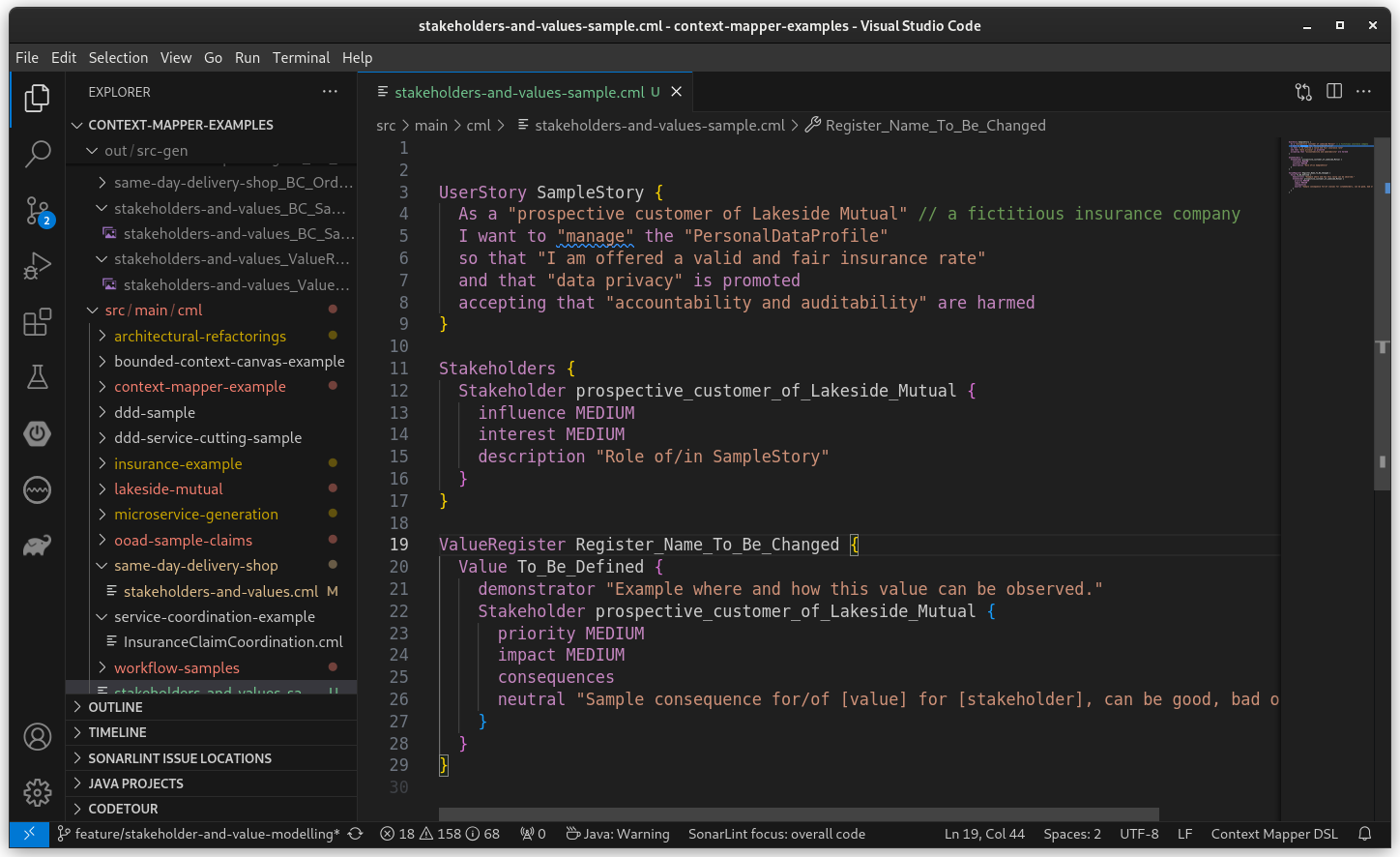
Note that this transformation generates lots of default values, such as register name, value name, etc., that you have to manually change/define after applying the transformation.
Create Value Register for Bounded Context
If you already created a domain model and defined a Bounded Context in CML, you might want to generate a Value Register for the specific Bounded Context. This transformation allows you to quickly add a register with the reference to your context.
The following example illustrates the transformation offered on Bounded Contexts:
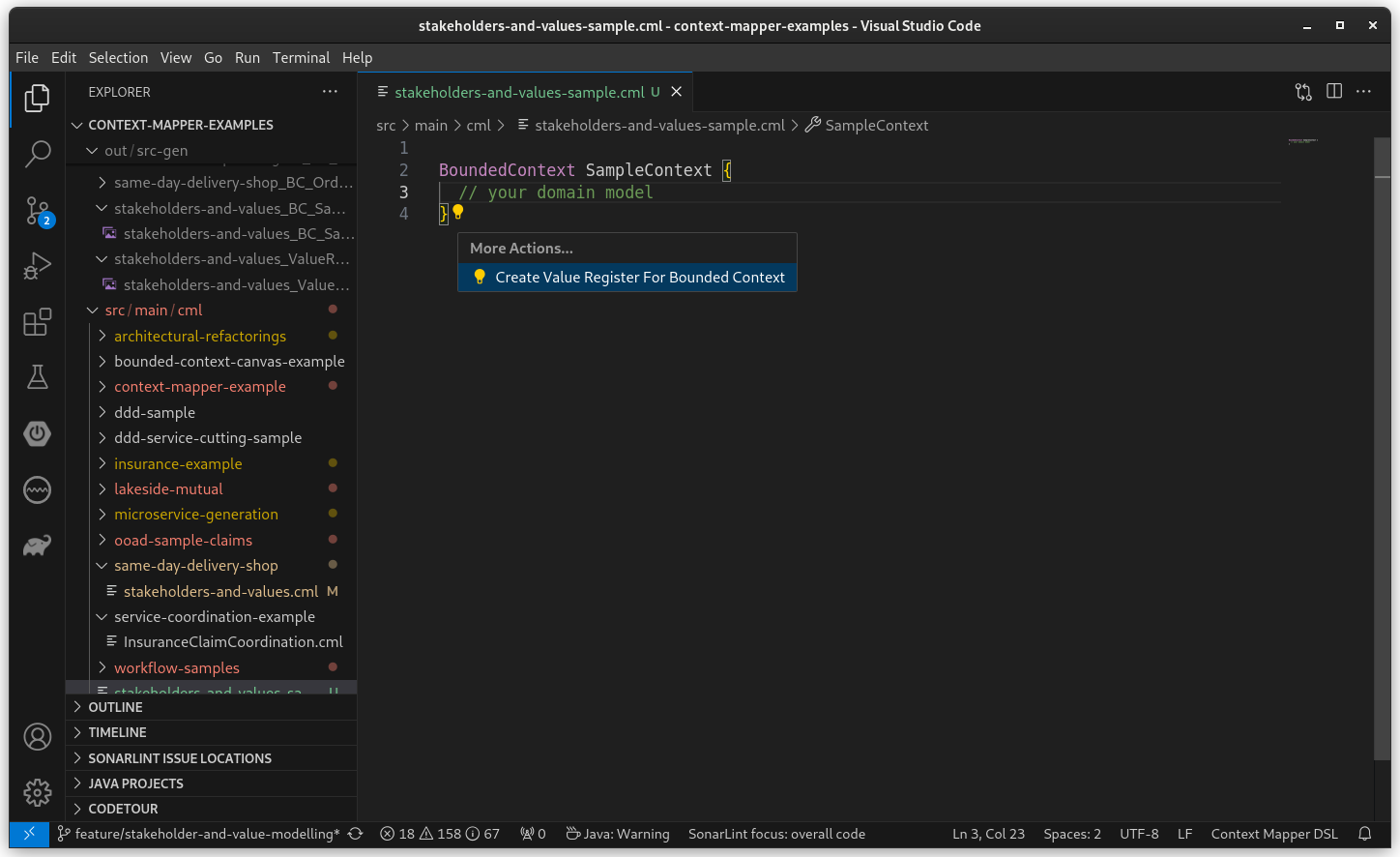
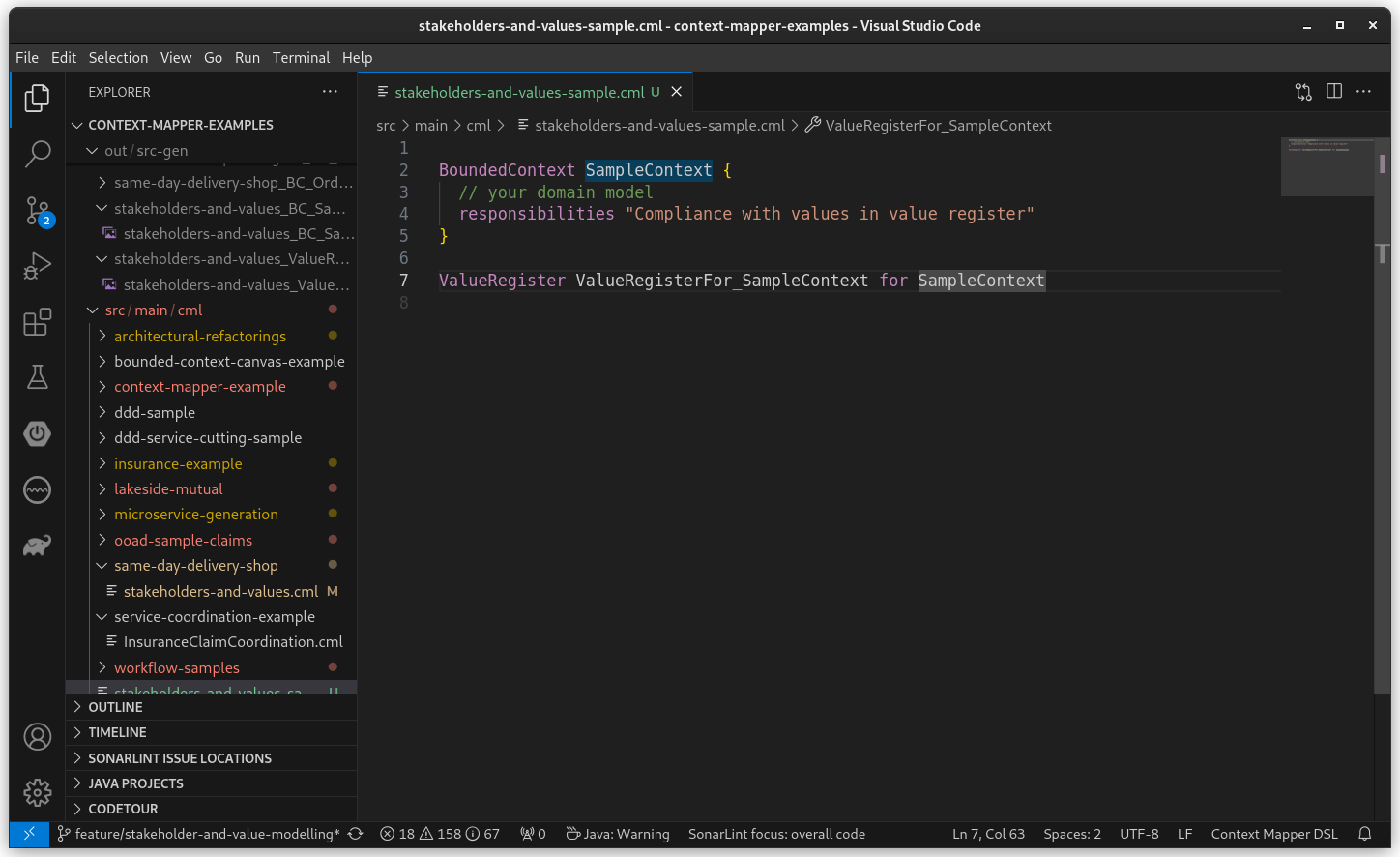
The transformation creates an empty value register for the context, which can then be filled with the values important to the stakeholders:
Wrap Value in Cluster
If you have modelled a value inside a value register and now want to use value clusters according to the IEEE 7000 standard, this transformations allows you to wrap an existing value inside a value cluster.
The following example shows the offered transformation on a value:
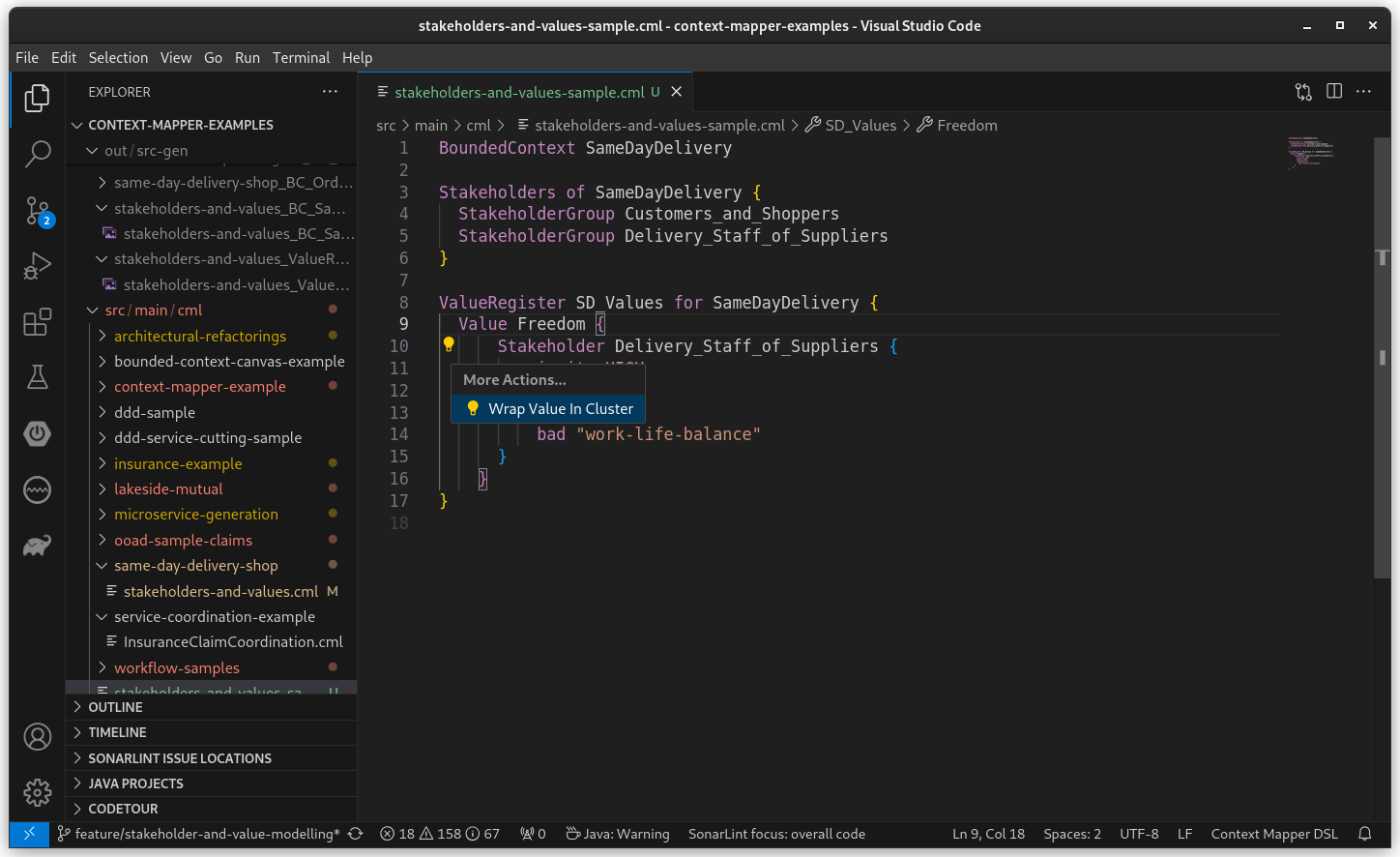
The transformation wraps the value accordingly:
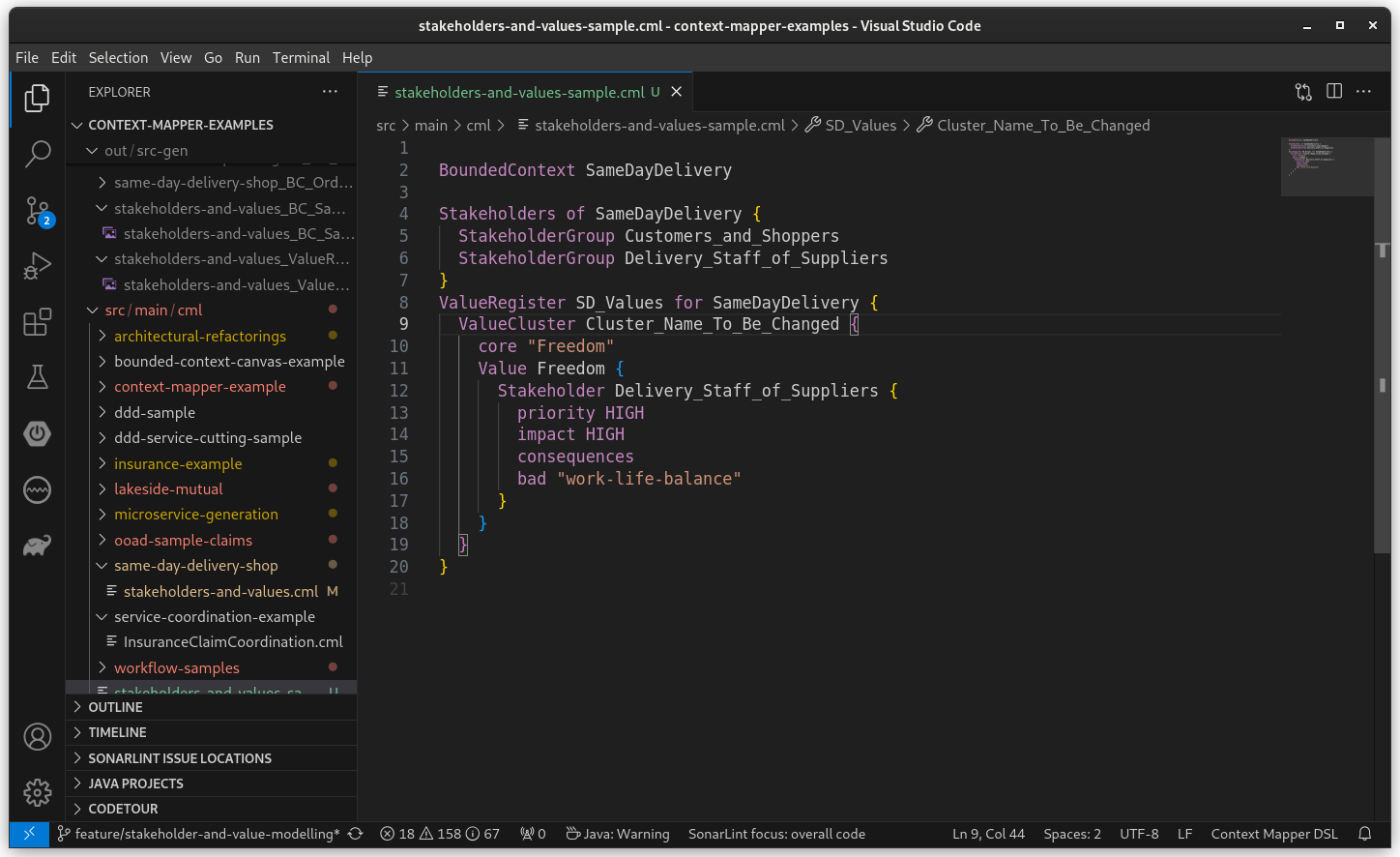
Note that you have to adjust the name of the cluster manually after applying the transformation.
Note: This transformation (“Wrap Value in Cluster”) has some known technical limitations in Visual Studio Code. We are sorry for that. For the time being, use the Eclipse Plugin if you want to test this transformation.
Feedback
Please feel free to provide feedback which other transformations would be useful for you. Get in touch with us.